One API for every email provider
Send through Resend, Amazon SES, Brevo and 22 more with one API key. When a provider fails, the next one sends the message. One suppression list and one log cover all of them.
Works with the providers you already use
View all 25 providersLogos are trademarks of their owners. OneSend is not affiliated with or endorsed by them.
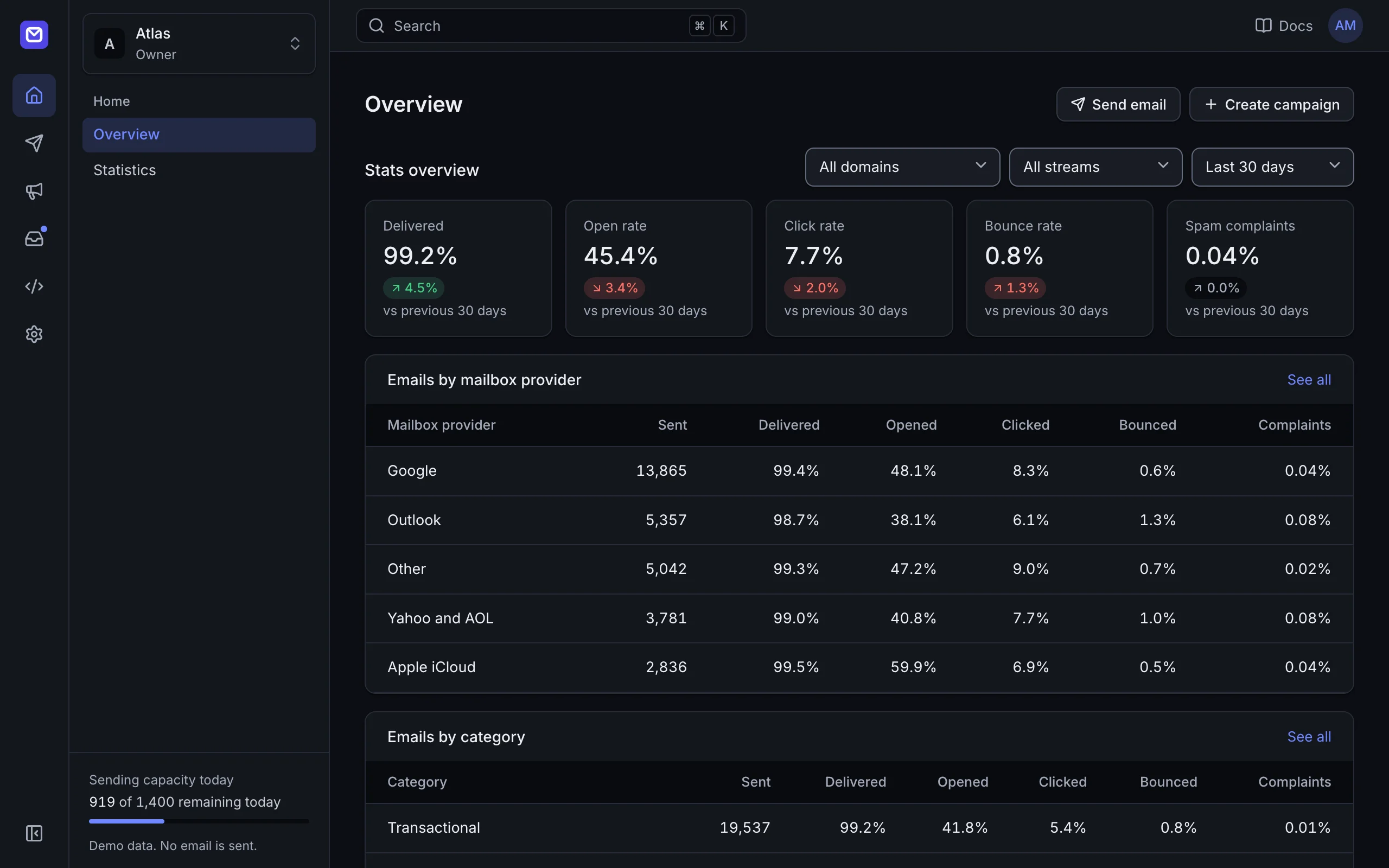
One dashboard for every provider account
Connect the accounts you have. Sending, quotas, delivery and costs for all of them are in one place, behind one API key.
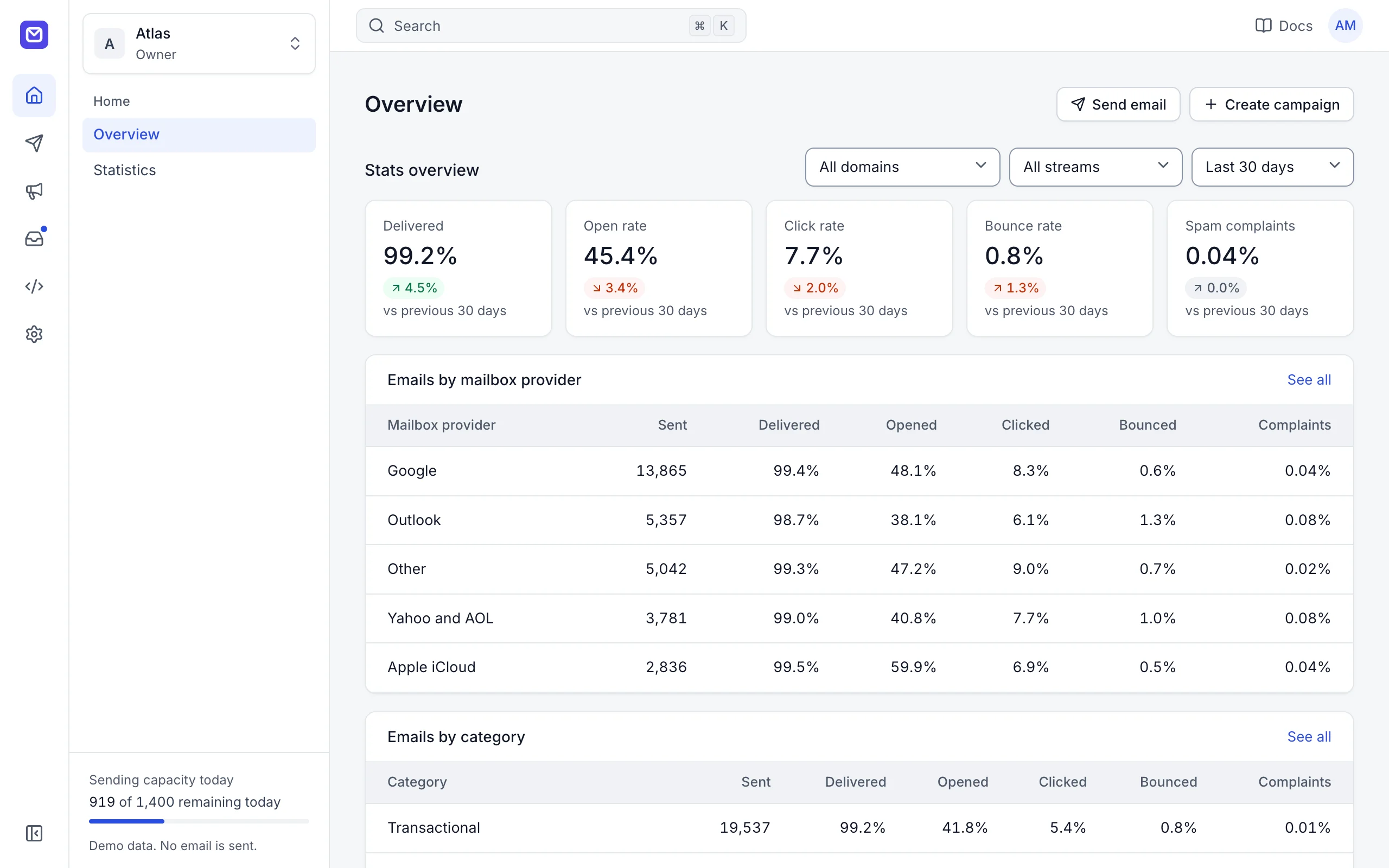
- 25
- providers behind one API, including any SMTP server
- 3
- compatible APIs: Resend, SendGrid and Postmark clients keep working
- 4
- SDKs (TypeScript, Python, Go, PHP), plus a CLI and an MCP server
- $9.99
- once for a self-hosted installation. No fee per email
Email keeps going out when a provider does not
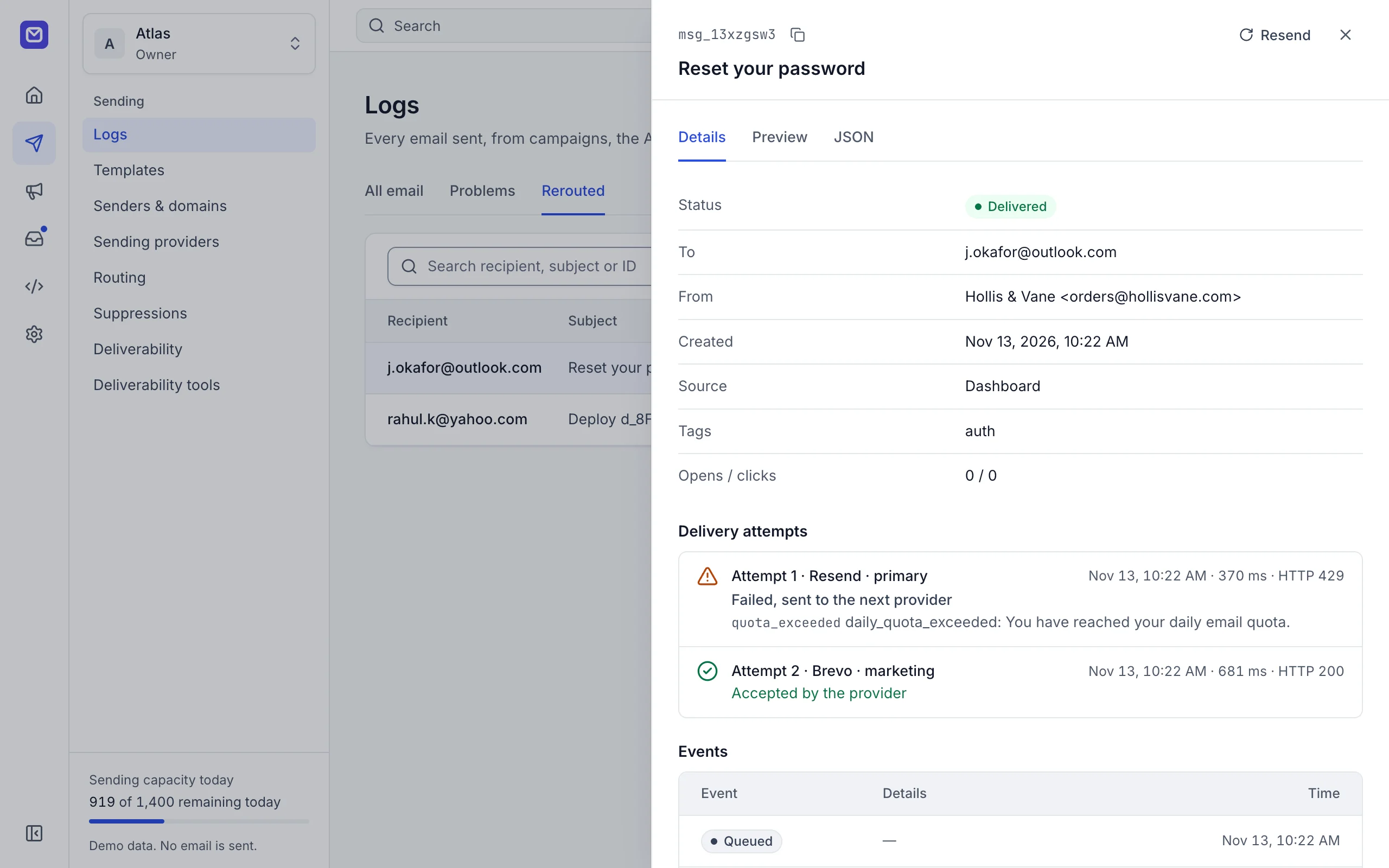
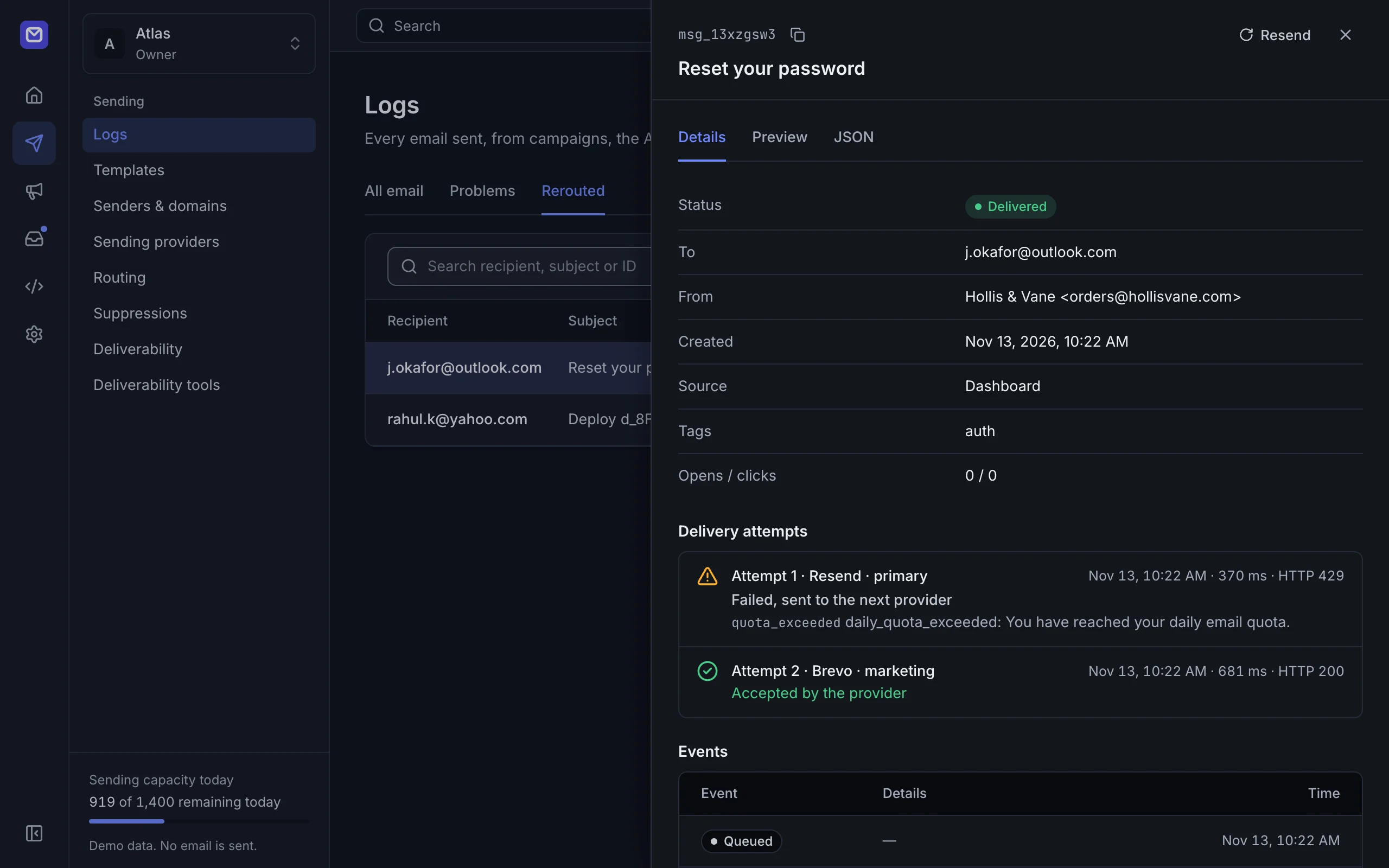
OneSend picks a provider for each message, tracks every quota, and moves to the next provider when one fails.
Route
Set an order, weights or round robin, with daily caps per provider and separate rules for marketing email.
Fail over
Outages, timeouts, rate limits and used-up quotas send the same message through the next provider. Hard bounces are never retried elsewhere.
Log
Every attempt is recorded with the provider’s own response, so you can see where a message went and why.
Integrate in minutes
One API key, one endpoint and one SMTP host for every provider. Use the REST API, the SDKs or SMTP, or keep the Resend, SendGrid or Postmark client you have.
- REST API with an OpenAPI reference
- SDKs for TypeScript, Python, Go and PHP
- Idempotency keys, so a retry never sends twice
- SMTP for tools that cannot call an API
const res = await fetch('https://your-server.example/v1/emails', {
  method: 'POST',
  headers: {
    Authorization: `Bearer ${process.env.ONESEND_API_KEY}`,
    'Content-Type': 'application/json',
    'Idempotency-Key': 'signup-4821',
  },
  body: JSON.stringify({
    from: 'Acme <hello@acme.dev>',
    to: 'ada@example.com',
    template: 'welcome-email',
    variables: { first_name: 'Ada', plan: 'Pro' },
  }),
});

console.log(await res.json());curl -X POST https://your-server.example/v1/emails \
-H "Authorization: Bearer $ONESEND_API_KEY" \
-H "Content-Type: application/json" \
-H "Idempotency-Key: signup-4821" \
-d '{
"from": "Acme <hello@acme.dev>",
"to": "ada@example.com",
"template": "welcome-email",
"variables": { "first_name": "Ada", "plan": "Pro" }
}'import os, requests
res = requests.post(
"https://your-server.example/v1/emails",
headers={
"Authorization": f"Bearer {os.environ['ONESEND_API_KEY']}",
"Idempotency-Key": "signup-4821",
},
json={
"from": "Acme <hello@acme.dev>",
"to": "ada@example.com",
"template": "welcome-email",
"variables": {"first_name": "Ada", "plan": "Pro"},
},
)
print(res.json())# Already on Resend? Keep the SDK, change two lines.
RESEND_BASE_URL=https://your-server.example/compat/resend # your server
RESEND_API_KEY=os_live_... # a OneSend key
# SendGrid and Postmark clients work the same way:
# https://your-server.example/compat/sendgrid
# https://your-server.example/compat/postmarkFor WordPress, Supabase Auth, Ghost and anything that speaks SMTP
Host your-server.example (your server)
Port 2587 (STARTTLS)
Username any value
Password os_live_... (your OneSend API key)Everything around sending, in the same account
Domains, templates, campaigns, webhooks and teams work across every provider you connect. All features
One suppression list
A hard bounce or complaint on one provider blocks the address on all of them.
Domains with any DNS host
One DNS plan per domain for every provider, applied for you on Cloudflare, Route 53 and other hosts.
Templates
A visual designer and code templates, rendered once so every provider sends the same HTML.
Campaigns
Contacts, lists, segments and signup forms with double opt-in, sent through the same routing.
Signed webhooks
Delivery, bounce, complaint and failover events from every provider, in one format.
Analytics
Delivery, bounce and complaint rates compared by provider, domain and campaign.
Test mode
Test keys log every email and call your webhooks without delivering anything.
MCP for AI agents
A remote MCP server with OAuth, so agents can send email and read your logs.
Teams
Roles, two-factor authentication, scoped API keys and an audit log of every change.
Self-hosted workspace
Mail, calendars and files on your own domain
A team inbox, calendars, booking pages and Drive on the same server as sending. One payment covers the whole team.
- Shared, members-only and personal mailboxes, with a catch-all
- Assignment, labels, notes, snooze and undo send
- A spam filter that runs on your server and learns from each mailbox
- Import .eml and .mbox files, including Gmail Takeout
- Lena FischerInvoice for October Could you resend it with our VAT number?
- Sam OrtizCannot sign in after the reset The link says it has expired.
- Priya RamanQuestion about the API Is there a limit on batch sends?
- Jonas WeberRe: Refund for order 1042 Thanks, that worked.
Mon 17
StandupWeeklyIntro callBookedTue 18
StandupWeeklyDesign reviewInvitedWed 19
StandupWeeklyDentistDesign review from lena@partner.exampleAcceptMaybeDeclineCalendar
Personal and shared calendars, repeating events and reminders. Invitations work with the calendar apps your guests already use.
Calendar- Mon 17Tue 18Wed 1909:0009:3011:0014:3015:0016:30Times in your time zone: Europe/Berlin
Booking pages
A public page for each person, with meeting types and open times in the visitor’s time zone. Taken times are never offered twice.
Booking pages - Brand assets14 items
- Contract 2027.pdfVersion 3 · 412 KB
- Invoice-1042.pdfSaved from mail · 88 KB
- Onboarding.mov1.2 GB
Public link for Contract 2027.pdf
- Access
- View only
- Password
- On
- Expires
- 30 Nov 2026
Drive
Personal and shared drives with versions and resumable uploads. Share with members, or by a public link with a password and an expiry date.
Drive
36,200 emails a month before anyone sends you a bill
15 providers have a free plan that does not run out. OneSend uses each one up to its limit, then the next. Compare free plans
All 25 providers and their plans
- Resend3,000 / month free
- Amazon SESPaid
- Brevo300 / day free
- Mailgun100 / day free
- Postmark100 / month free
- SendGridTrial
- Cloudflare EmailPaid
- SMTP2GO1,000 / month free
- MailerSend500 / month free
- Mailjet6,000 / month free
- SparkPost1,000 / month free
- ZeptoMailTrial
- Elastic Email3,000 / month free
- Plunk1,000 / month free
- Mailtrap4,000 / month free
- MailChannels100 / day free
- AhaSend1,000 / month free
- Lettermint300 / month free
- PostalSelf-hosted
- Mandrill
- SocketLabsTrial
- InfobipTrial
- Scaleway300 / month free
- Azure Communication ServicesPaid
- Any SMTP server
Free allowances as each provider publishes them, checked November 2026. You keep your own account with each provider. Logos are trademarks of their owners. OneSend is not affiliated with or endorsed by them.
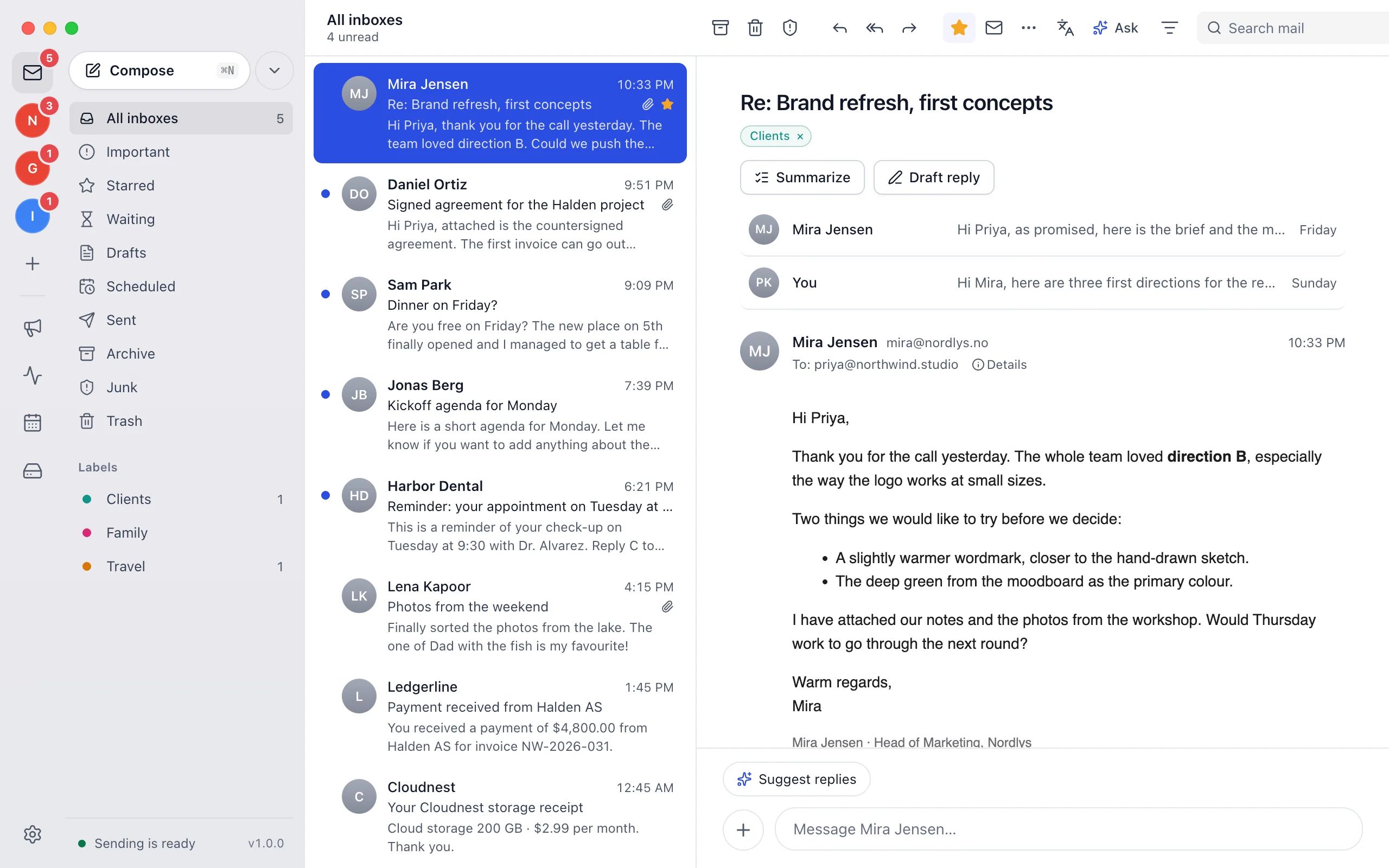
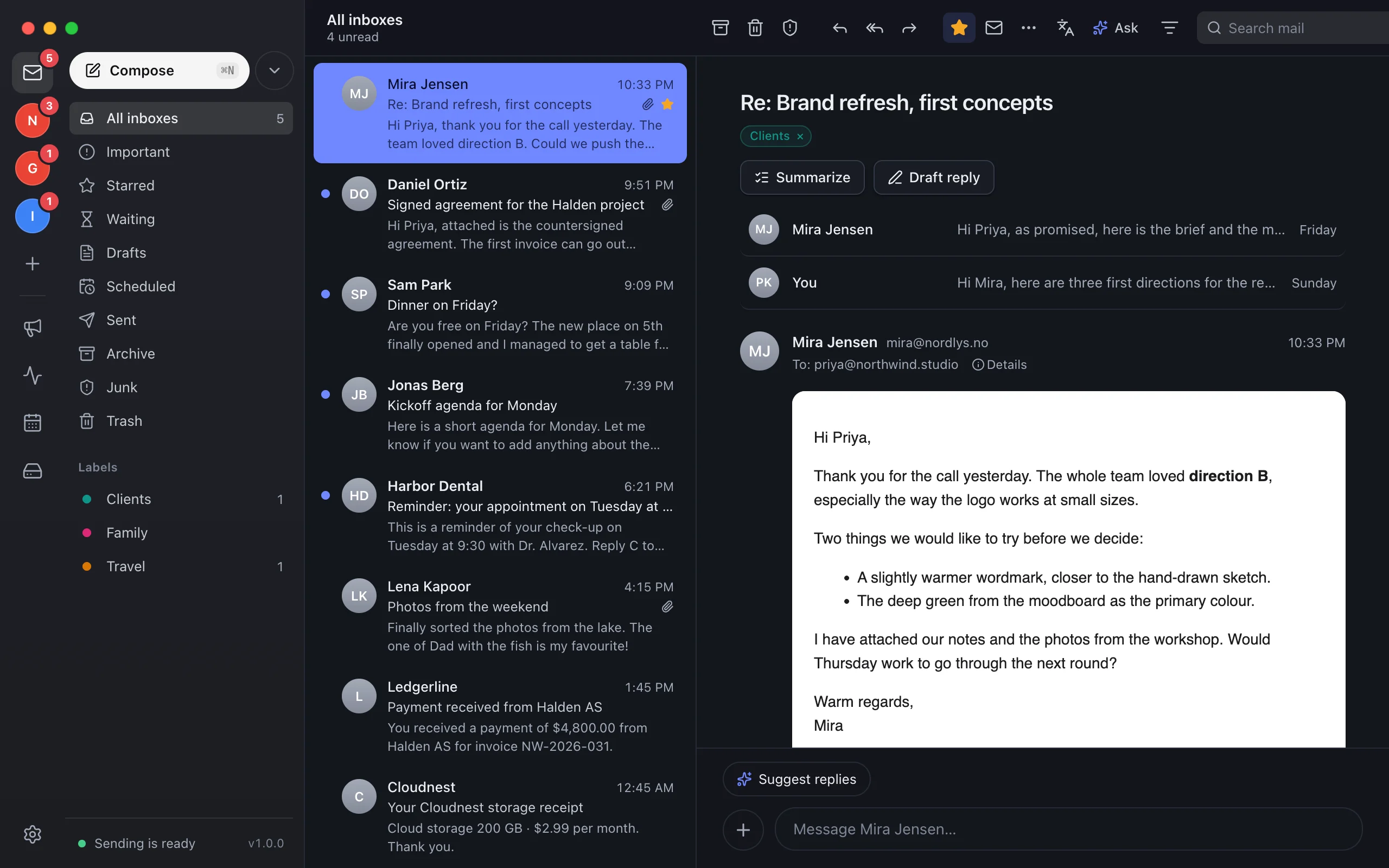
OneSend for Mac
A private inbox for all your email
Gmail, Outlook, iCloud, Yahoo, Zoho Mail, Proton Mail and any IMAP account in one window, with new mail in the notch and Apple Intelligence built in. Your mail stays on your Mac, encrypted.
- $9.99 once for 3 Macs, with 1 year of updates
- Spam filter, calendar and Drive on the Mac
- Works on its own, or connects to your self-hosted server
- Summaries and reply drafts with your own AI model
Buy once. Keep your providers.
Self-hosted for $9.99 once on your Cloudflare account or server, with sending, the team inbox, calendar and Drive. The Mac app is $9.99 once. The hosted cloud waitlist is open.